When the camera rolls,
.Capture rolls.
SDI capture and ingest at the speed of the set. .Capture follows the camera's REC three ways — the record flag on SDI, the REC indicator on the monitor picture, and a wireless trigger — and every take lands straight in a Premiere Pro bin. Built as a replacement for Media Express, for editors working on set. macOS app.
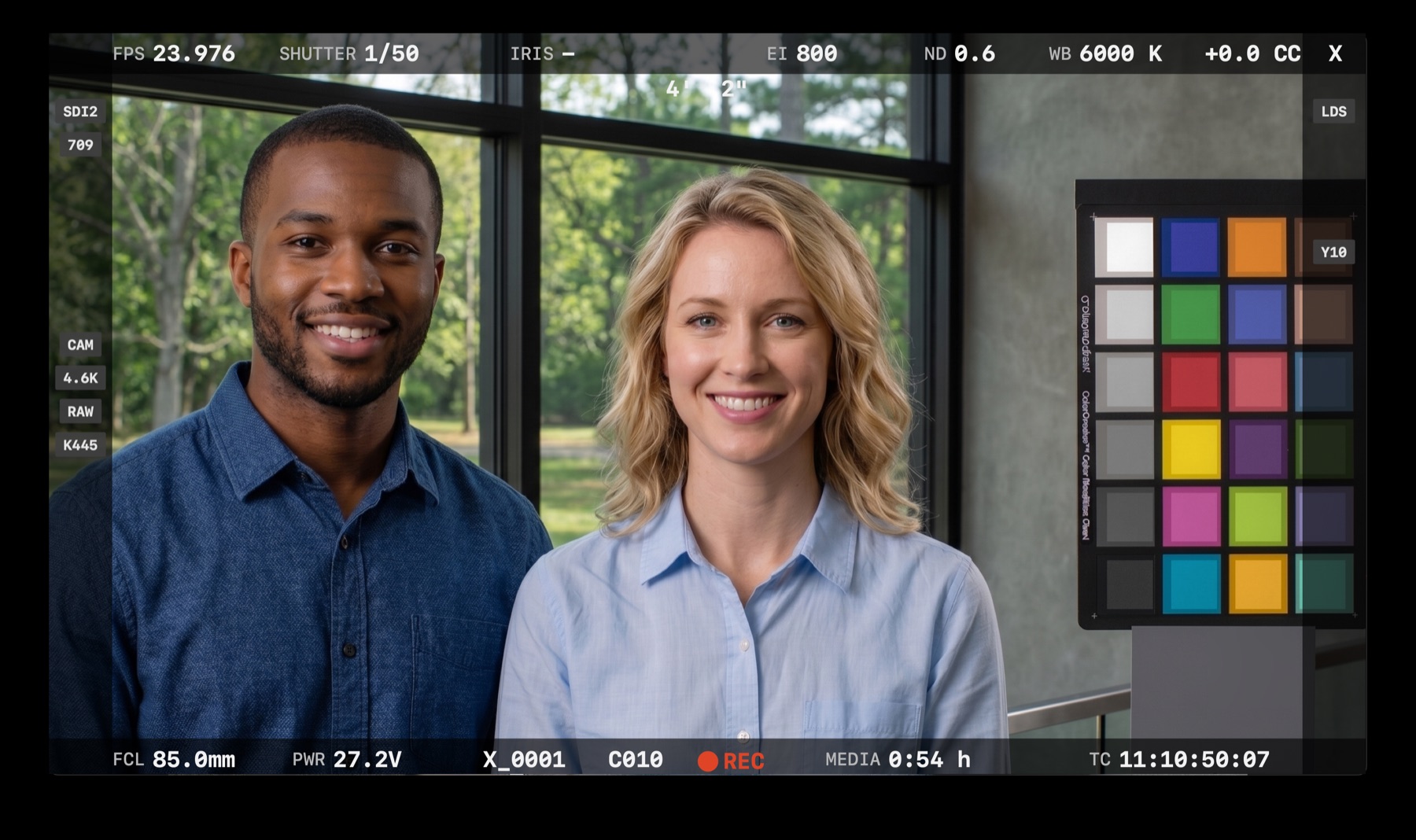
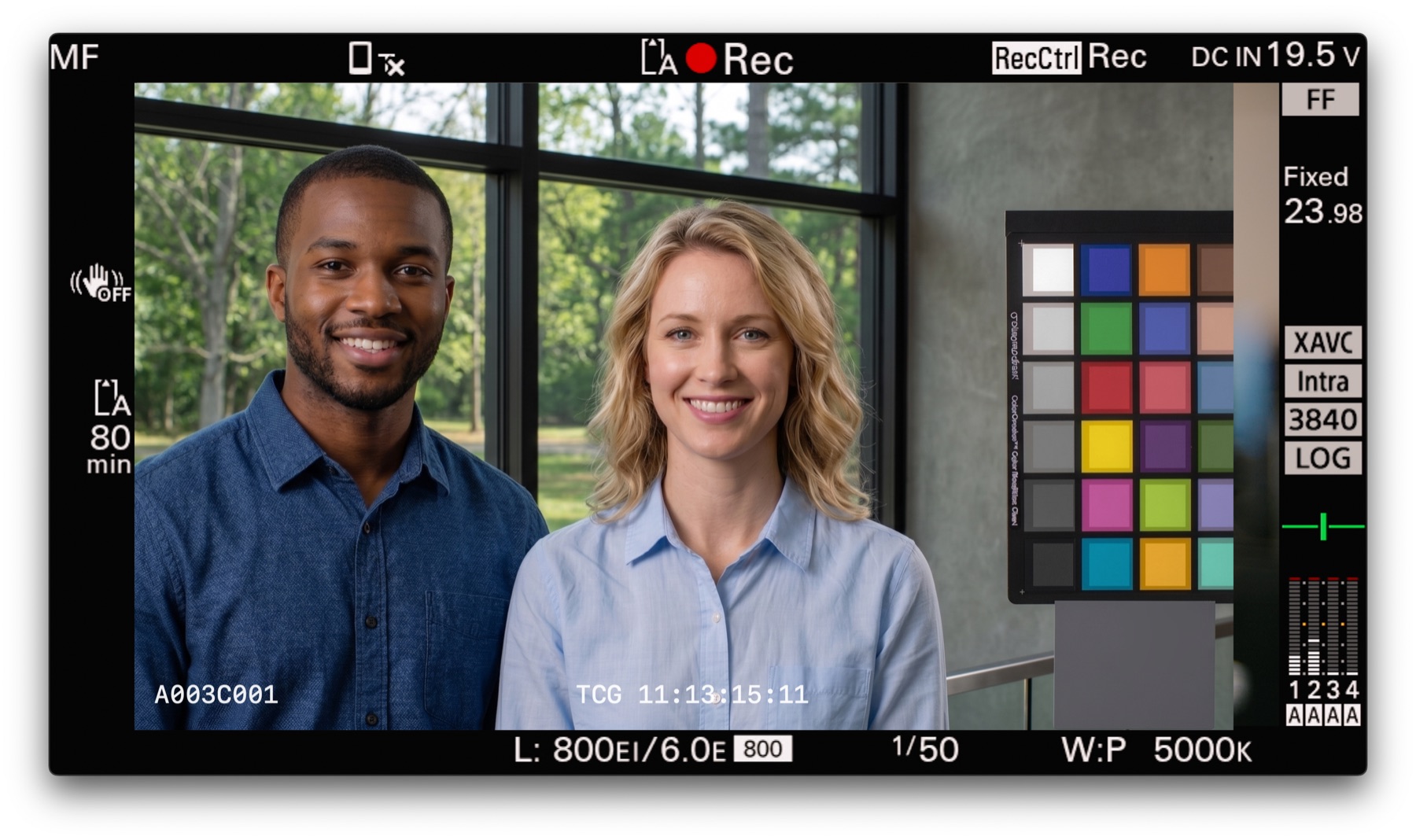
Auto Rec
You don't have to press record.
.Capture follows the camera's REC. Pick the method that fits your signal path and camera, so you don't miss takes even when the record flag isn't available.
Follow the camera's record flag
Reads the record flag the camera embeds in SDI and starts and stops with it. The most reliable method with cameras that send it, such as ARRI and Sony VENICE. Works with AJA devices (io 4K, io X3, io XT).
Watch the REC indicator on screen
Detects the color change of the REC indicator in the monitor picture. Find REC ● registers its position and lit color in one click, and keeps tracking even when an on-set LUT shifts the red. Presets for ALEXA 35 / Mini / Mini LF / AMIRA / VENICE / VENICE 2 / FX6 / BURANO / Ronin 4D. Works with any device, including Blackmagic.
Trigger from across the set
Follows the REC signal received by a USB-connected Bridge receiver (M5Stack). Carries the DIT's record start all the way to an offline Mac, wirelessly.
Premiere Pro
Stop recording, and it's already in the bin.
The included CEP panel ".Capture Sync" imports every finished take into a bin named after your project. The editor just waits for the next cut.
.Capture Transmit — New in 1.3
Send Premiere's picture out through .Capture.
Choose ".Capture" as Premiere's output device. Premiere's picture and sound go out of SDI OUT through .Capture, so headphones and SDI play together, and recording never stops. Works with AJA and Blackmagic. The plugin installs from the first-launch prompt in one click (your Mac password is asked once).
SDI and headphones at once
Premiere alone sends sound to only one of them. .Capture plays it on the SDI monitor and your Mac's headphones at the same time, with picture, headphones and SDI lined up.
Keeps recording while you edit
.Capture holds the input the whole time you work in Premiere, so LIVE and Auto Rec keep running in the background. No more handing an AJA device back and forth with Premiere.
Shows whichever you used last
SDI OUT keeps showing .Capture or Premiere, whichever was in front last. Clicking your browser doesn't switch it. 9:16 vertical sequences fit into SDI with black sides.
Specs
Specifications
- Try every feature free for 7 days — no key needed (choose "Try Free for 7 Days" on first launch)
- Full features: every Auto Rec method, Premiere integration, all ProRes classes
- New features keep coming through in-app updates
- Pay with Polar (credit card). Your license key arrives by email right away